Water Trucks
When water trucks are present within a simulation scenario, they need to be allocated tasks so direct them to traverse various areas across the haulage network.
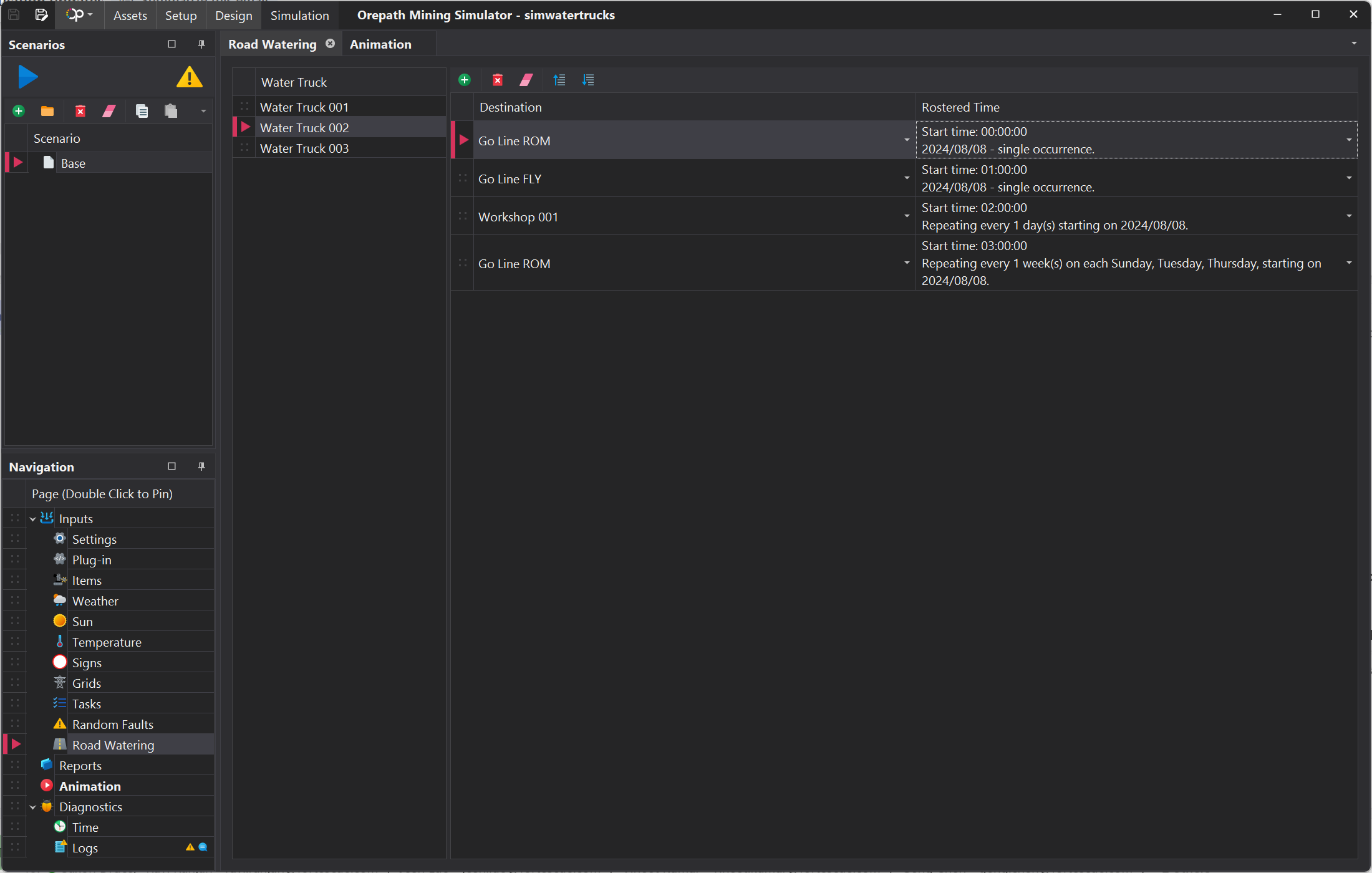
To configure tasks for water truck:
- Select a water truck unit.
- Click on the Add Item button to add a task.
- In the new dialogue window, select a destination Terminal and allocate a start time.
- Configure regular occurences for each task where required.
Notes for task routing
When adding subsequent tasks, insure that the start time is close to the expected finish time for the previous task. Alternatively, you can set the start time of a subsequent task to start immediately after the previous task.
info
If the next task starts too long after the finish time of the prior task, a truck will remain at a destination terminal until the start time of the next task.
Always add a task to go back to a relevant Go Line to prevent the water truck from being stuck at a terminal that is regularly accessed by a haul truck (e.g. a dig face).