Settings
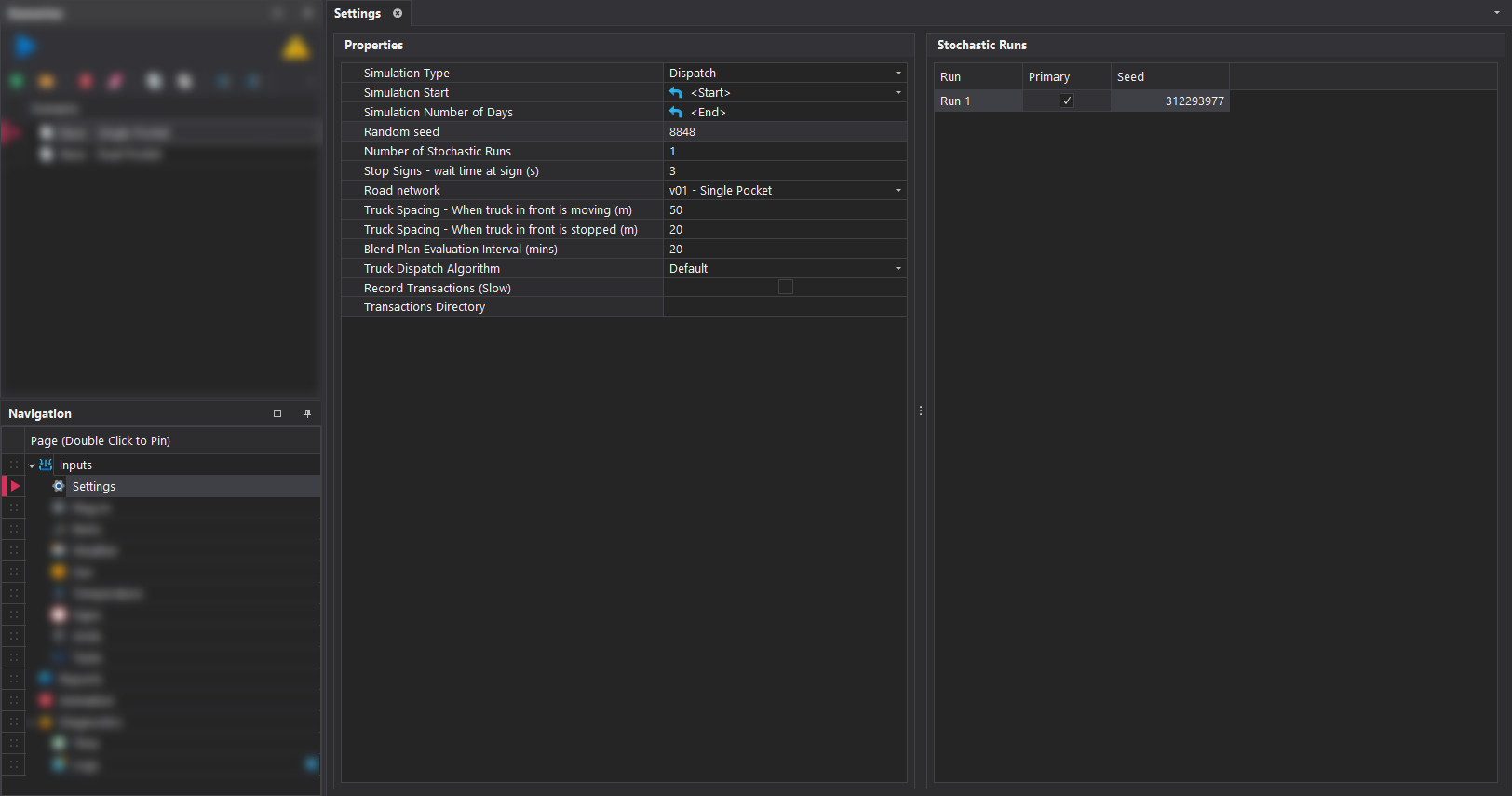
The Settings tab, contains several key parameters for the selected simulation scenario. These parameters are detailed in the table below.
| Property | Description |
|---|---|
| Simulation Start | This specifies the start date and time for the simulation. By default, the value is set to Start, corresponding to the beginning of the first period. If the value is changed, clicking the blue arrow will revert it back to the default setting. |
| Simulation Number of Days | The number of days to simulate. By default, the value is set to End, which represents the date and time of the last period. If the value is modified, clicking the blue arrow will reset it to the default. |
| Random Seed | The software incorporates randomness throughout, such as when selecting values from probability distributions and modeling unplanned downtime. A random seed is used to generate these values during the simulation. With the same inputs, using the same seed will produce identical outputs each time the simulation runs. However, using a different seed with the same inputs will result in different outputs. When a new scenario is created, a random seen value will automatically be generated. |
| Number of Stochastic Runs | |
| Stop Signs - Wait time at sign | The duration for which a vehicle remains stationary at a stop sign before being allowed to continue its journey. |
| Road Network | The road network to use in the simulation run. |
| Truck Spacing - When truck in front is moving | The distance a truck must maintain behind a moving truck in front. |
| Truck Spacing - When truck in front is stopped | The distance a truck must maintain behind a stationary truck in front. |