Plug-in Settings
Plug-ins are customised modules that provide additional functionality to the Orepath Mining Simulator. If the simulated mining operation is unique or experiences exceptionally complex behavior, plug-ins can be implemented to adjust the behavior to enhance the standard capability of the simulator.
An example of what plug-ins assist with include:
- Import preconfigured list of sources and destinations in the Setup Tab.
- Streamline creation and allocation of digging tasks in the Simulation Tab.
- Implement a custom dispatch engine to select and test in the Simulation Tab.
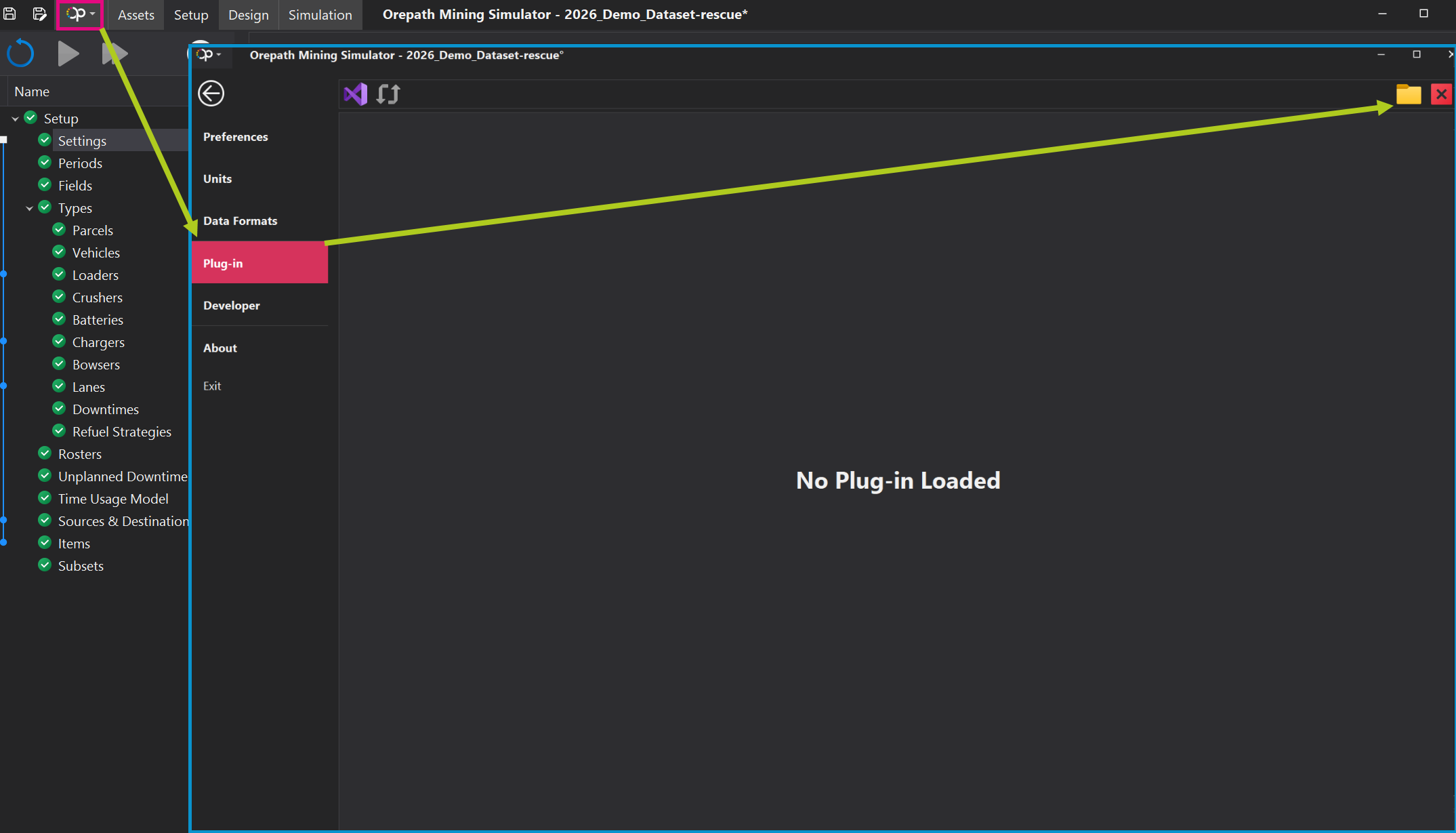
Plug-ins can be enabled by click on the Orepath Icon in the top left, opening the Project Settings. Inside the Project Settings window, click on the Plug-ins item in the sidepane to enter the Plug-in menu. Clicking on the Folder icon in the top-right will open up the File Browser to select the plug-in file.
When plug-ins are enabled for a project, a new line item within the Settings Workstep in the Setup Tab to enable customization.